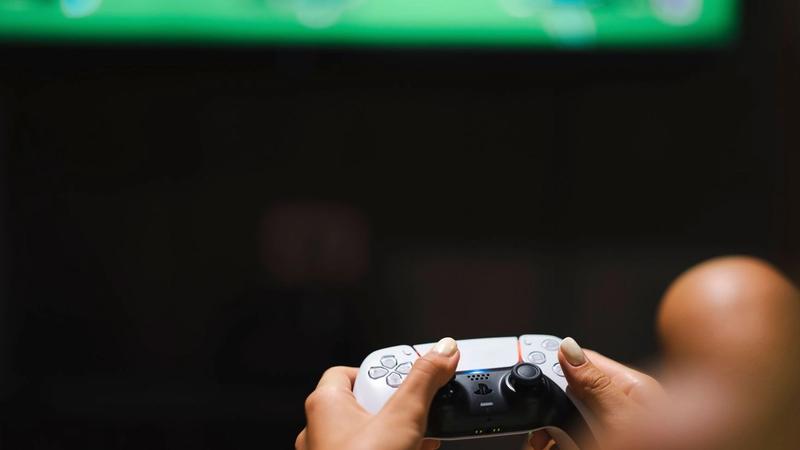
A game can ask a player to jump with one button, sprint by holding another, aim with a trigger, rotate a camera with a stick, and open a menu with a third input. For many players, this arrangement feels so familiar that it disappears into muscle memory. But every one of those actions also makes a demand: reach this control, press it accurately, keep holding it, repeat it quickly, or combine it with another action at the right moment.
That is why input design has become a central part of game accessibility. The issue is not simply whether a game has a remapping menu. It is whether its essential actions can be performed through different physical setups, at different speeds, and with different levels of precision and endurance. When designers treat an input as a design decision rather than a fixed fact of the controller, they often make games more usable without making them less expressive.
The controller is only one possible interface
A standard controller is a convenient default, not a neutral baseline. Its layout assumes that a player can reach several buttons, triggers, sticks, and stick-clicks; distinguish their locations; and move between them quickly. Keyboard-and-mouse players make a different set of movements. Some players use adaptive controllers, switches, joysticks, foot controls, or devices arranged around their own range of motion.
This is the basic reason that remapping matters. A player may need an important action moved from a face button to a shoulder button, from a stick-click to a key, or from a small controller input to a larger external switch. AbleGamers notes that switches can substitute for individual controller or computer inputs and can be positioned where a player can activate them. The useful question is therefore not “Which button should activate sprint?” but “What does sprint require a player to do, and what alternatives can accomplish that same intent?”
In-game remapping is especially valuable because it can be aware of context. A platform-level controller reassignment may change a signal before the game receives it, but the game itself may still show old button prompts in tutorials, menus, or quick-time events. Microsoft’s Xbox Accessibility Guidelines recommend that games update labels throughout the experience when a control is remapped. A setting is only fully helpful if the rest of the game understands it.
- Action-based remapping lets a player assign “interact” or “dodge” to a preferred input, rather than merely swapping two physical buttons.
- Separate mappings can matter across contexts: walking, driving, menu navigation, and flight controls may create very different demands.
- A visible controller map and accurate on-screen prompts reduce the need to memorize a personal layout.
Timing turns ordinary actions into barriers
Changing a button’s location does not solve every input problem. A game can still demand rapid tapping, simultaneous presses, precise stick movements, or a long sustained hold. These requirements may support tension, rhythm, or challenge. Yet they can also prevent a player from progressing when the required motion is painful, fatiguing, difficult to coordinate, or simply incompatible with an assistive setup.
Consider the difference between holding a trigger for several minutes to accelerate and tapping once to toggle acceleration on. The in-game goal—keep the vehicle moving—can remain unchanged, while the physical burden changes substantially. The same applies to crouching, aiming, sprinting, opening an ability wheel, or confirming a menu choice. A hold-to-toggle option does not remove challenge by itself; it changes the method used to sustain an action.
Rapid-button sequences raise a similar issue. If success in a cinematic escape or a boss encounter depends on repeated presses in a short window, the event is testing a particular type of speed and repetition. Designers can preserve the narrative consequence while providing an alternative: one press, a hold, an automatic success option, a slower pace, or a bypass for that specific event. Microsoft’s guidance explicitly identifies repeated presses, extended holds, and simultaneous inputs as potential barriers and recommends alternatives when they cannot be avoided.
- A toggle changes a continuous physical demand into a discrete decision.
- A slower game-speed setting can give players more time to choose and execute actions.
- Replacing a button-mash event with a single press can retain timing or attention without requiring repetition.
- Avoiding mandatory two-button chords helps players who use one switch at a time or need more time between inputs.
Complexity is not the same as depth
Games often use elaborate control combinations to communicate mastery. Fighting games, action games, simulations, and competitive shooters can derive much of their identity from a large skill vocabulary. Accessibility does not require every game to erase that vocabulary. It asks designers to notice when an input method is the only route to a meaningful action.
A useful distinction is between strategic complexity and mechanical overhead. Choosing the right defensive tool, reading an opponent, or planning a route can be compelling decisions. Requiring a player to hold three controls while rotating a stick may add a physical obstacle that is only loosely connected to those decisions. If the intended challenge is tactical judgment, an alternate input can let more people engage with the intended challenge rather than excluding them at the controller layer.
Some recent games demonstrate how this can work in practice. EA’s accessibility documentation for Battlefield 6 describes remapping for infantry, vehicle, and interface actions, alongside a menu for converting numerous holds into toggles. Star Wars Jedi: Survivor offers alternatives for button-mash interactions, a toggle for a sustained Force ability, and a slow mode. These options do not make every player use the same experience. They let players select an interaction pattern that fits them.
- Keep the game’s decision-making challenge separate from unnecessary hand strain where possible.
- Treat default controls as a starting point, not an assertion that one layout suits everyone.
- Offer alternatives early enough that players can configure the game before a difficult sequence blocks them.
Menus deserve the same care as combat
Accessibility can fail before gameplay begins. If a settings screen requires fine mouse movement, an analog stick, or a held input that a player cannot use, the very options meant to help may be unreachable. Menus should be navigable with simple, non-simultaneous inputs and should work consistently across the game.
This matters because input choices cascade. A player who remaps a command needs tutorials, tooltips, button legends, and accessibility menus to reflect the new mapping. A player who uses keyboard-only input needs to start the game, change settings, play, and exit without being forced back to a mouse. A player who changes stick sensitivity or dead zones needs those adjustments to work predictably in the parts of the game where accuracy matters.
These details can seem mundane compared with combat systems or visual art direction. But games are systems of repeated interaction. If a player must negotiate the interface every few minutes, the friction becomes part of the game’s difficulty whether designers intended it or not.
- Make accessibility settings available from the first-launch flow as well as later menus.
- Allow digital navigation for interfaces even when analog movement is the default.
- Test remapped controls in tutorials, prompts, dialogue choices, maps, and pause menus—not only in core gameplay.
Feature labels make discovery easier, not automatic
Players also need to know what a game offers before they buy it. In March 2025, the Entertainment Software Association introduced the Accessible Games Initiative, a voluntary set of 24 tags developed with major industry participants. The input-related tags distinguish among capabilities such as basic remapping, full input remapping, stick inversion, play without button holds, play without rapid presses, and keyboard-only play.
That specificity is important. “Accessible controls” is too broad to tell a player whether their particular setup will work. Full remapping is not the same as swapping a few face buttons. A game that avoids long holds may still require rapid tapping. A title can have excellent control options but lack an alternative for a required motion-control sequence. Clear labels help players ask better questions, but they are not a universal verdict on whether a game will suit every person.
The larger lesson is that accessibility features are descriptions of practical capabilities. They work best when developers document them precisely, storefronts present them clearly, and players can inspect the settings before committing time or money.
- Look for what a tag specifically promises rather than treating it as a general quality score.
- Check whether support applies to gameplay, menus, every input method, or only selected actions.
- When possible, review a game’s official accessibility page for the details behind a label.
Final thoughts
Good input design starts by recognizing that every command has a cost in movement, timing, memory, and stamina. A default scheme can still be elegant and carefully tuned. It simply should not be the only viable path through the game.
The strongest accessibility options do more than relocate buttons. They offer alternate ways to hold, repeat, combine, navigate, and pace inputs while keeping the game’s central ideas intact. In that sense, better controls are not an add-on to game design. They are part of deciding who gets to participate in it.
Sources
Photo by Cedric Fauntleroy on Pexels.